Rover Ignite
Introduction to rover ignite
We know that creating a coherent stack of configuration files for an organization can be error-prone. Rover ignite is an iterative tool to get you started with various configurations and creates for you the set of files needed to deploy a complete environment.
Overview
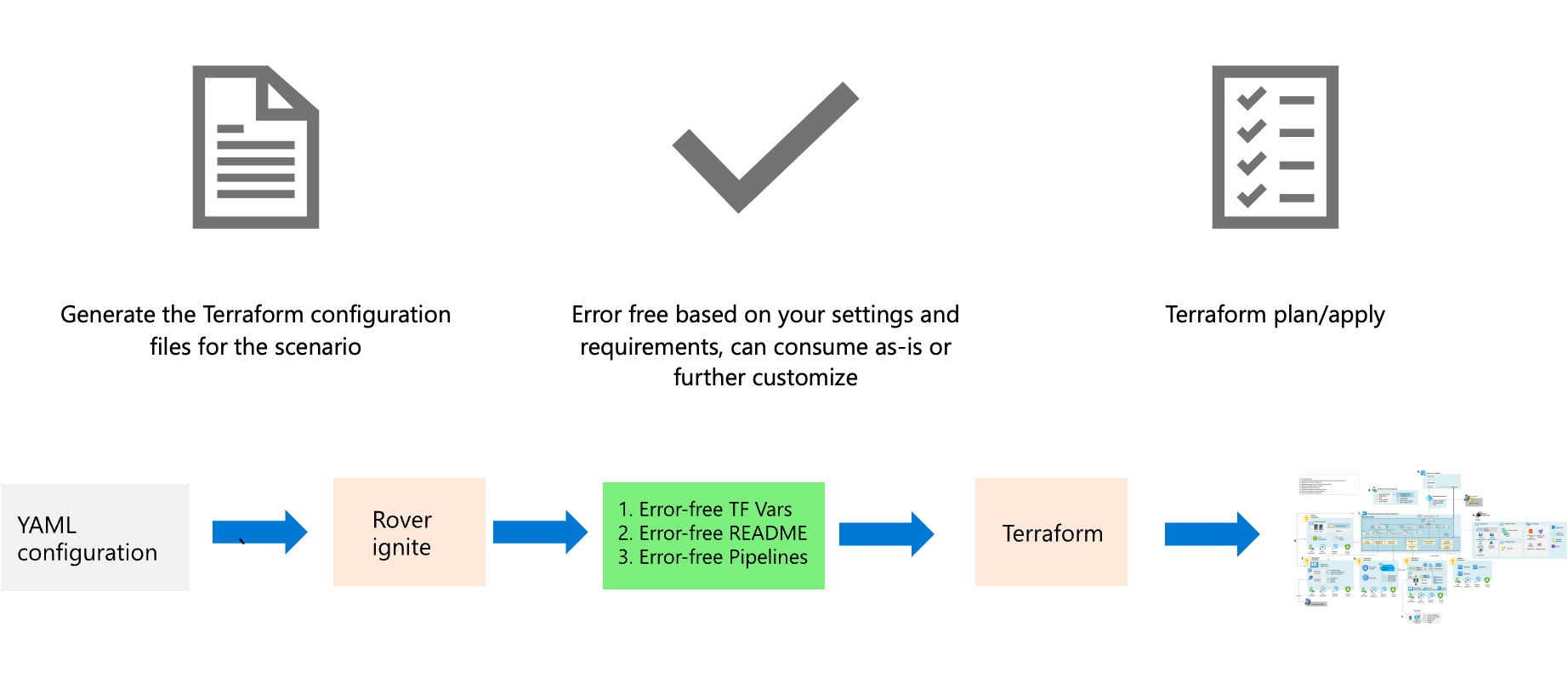
Rover ignite commands will take the templated configuration files, and will generate for you the different elements according to your settings, including the readme files.
Languages
Rover ignite is ingesting YAML files as templates that will generate both the tfvars files, readme and soon pipelines.
Command reference
Typical rover ignite command looks like this (however, generally speaking across CAF, we will give you specific instructions on how to use it best):
rover ignite \
  --playbook /tf/caf/landingzones/templates/platform/ansible.yaml \
  -e base_templates_folder=/tf/caf/landingzones/templates/platform \
  -e resource_template_folder=/tf/caf/landingzones/templates/resources \
  -e config_folder=/tf/caf/definitions/single_reuse/platform \
  -e landingzones_folder=/tf/caf/landingzones
Reference arguments:
| Argument | Required | Description |
|---|---|---|
| -playbook | yes | Path to the root configuration Ansible playbook. |
| -e base_templates_folder | yes | Path to the set of Ansible templates for the platform Terraform landing zone. |
| -e resource_template_folder | yes | Path to the set of Jinja templates used for Azure resources instantiation. |
| -e config_folder | yes | Path to the set of functional templates for landing zones - depending on the scenario you pick from the templates directory inside landing zones. |
| -e landingzones_folder | yes | Path to root of landing zones logic folder. |